
Inhaltsverzeichnis
- Why the relaunch was overdue
- The website relaunch: 199 files, 55 commits, 3 days
- AI as a development partner: Claude Code in action
- Context engineering: 80 sessions, 200k token context — how AI scales
- Cross-session architecture
- MCP servers — external tool integration
- Parallel subagents
- Building AI agents: reusable skills as an automation pipeline
- SEO and GEO — things WordPress could never do
- Topic clustering: how we build topical authority with hub-and-spoke
- No cookies, no banner: privacy by design
- Static pages, maximum performance
- Results and takeaways
- Frequently asked questions
Context engineering is the discipline of giving AI systems the right context — through persistent project files, reusable skills, and tracking systems that work across individual sessions. It’s the difference between “chatting with AI” and “engineering with AI.”
Agencies budget 3–6 months and CHF 20,000–50,000 for a website relaunch. We did it in 3 days — with AI. But the real story isn’t speed. It’s the engineering discipline behind it: context engineering, agentic workflows, and MCP integrations that linked 80+ AI sessions into a single coherent project.
Das Wichtigste in Kürze
- Context engineering: The key wasn't the AI model — it was the systematic architecture of CLAUDE.md, skills, and tracking files that linked 80+ sessions into a coherent project.
- Agentic workflows: With reusable AI skills (13-step pipelines), MCP server integrations, and parallel subagents, we didn't just build a website — we built a scalable AI production system.
- Measurable results: 196 pages migrated, all content updated for 2026, PageSpeed 100/100/100/100, zero cookies — in 3 days, with a team of one human and AI.
This article shows how we migrated 196 blog articles, 18 glossary entries, and 13 static pages from WordPress to Astro — and why context engineering made the difference.
Why the relaunch was overdue
Our WordPress site had the typical symptoms: plugin bloat, monthly security updates, PHP hosting with variable load times, and a theme that required compromises with every change. For a company that consults on Salesforce implementations, the website was a contradiction — complex where it should be simple.
The requirements for the relaunch were clear:
- Maximum performance: static pages, no server rendering, global CDN
- Full control: schema markup, sitemap, canonical URLs, robots.txt — all as code, not as plugins
- Zero JavaScript by default: only load what truly needs to be interactive
- MDX support: Markdown with components for structured content patterns like “key takeaways” boxes
- Cost efficiency: no premium hosting, no plugin licences
Astro met every criterion. As a static site generator with Islands Architecture, Astro ships pure HTML without the JavaScript overhead — a real WordPress alternative for content-heavy sites. Together with Cloudflare Pages as the free hosting layer, the result is an architecture that’s faster, safer, and cheaper than any WordPress setup.
The website relaunch: 199 files, 55 commits, 3 days
The WordPress migration wasn’t a months-long project — it was a focused sprint: 55 commits in 3 days, supported by Claude Code with the Claude Opus 4.6 model.
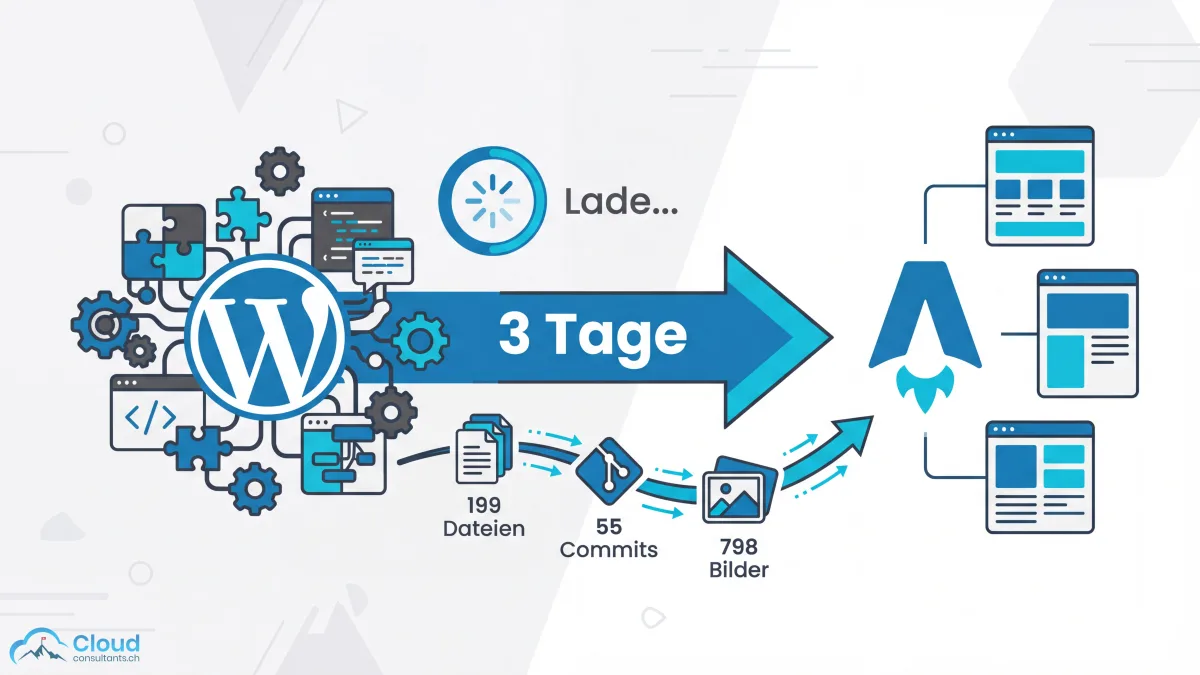
Day 1: Foundation and migration Project setup on Astro, Cloudflare Pages configuration, branding system as code, contact-form integration. The core: migrating 199 MDX files from WordPress exports. Every file was converted, given structured frontmatter, and placed in the new cluster architecture. 78 URL redirects preserved existing rankings.
Day 2: Quality and optimisation
Performance optimisation to PageSpeed 100/100/100/100. WCAG AA accessibility audit. Mobile responsiveness. Optimisation of 798 WebP images — each with correct alt text, width/height attributes for CLS avoidance, and lazy loading.
Day 3: Content expansion and go-live 10 new CRM articles written and published. Final polish. Go-live on Cloudflare Pages with automatic SSL and a Git deploy pipeline.
| Metric | Value |
|---|---|
| Commits | 55 |
| MDX files migrated | 199 |
| Blog articles | 196 |
| Glossary entries | 18 |
| WebP images | 798 |
| URL redirects | 78 |
| Lines added | 40,188 |
| Lines removed | 14,602 |
AI as a development partner: Claude Code in action
Claude Code wasn’t just a coding assistant — it was the development partner for the entire project. Concretely, the AI took on four areas:
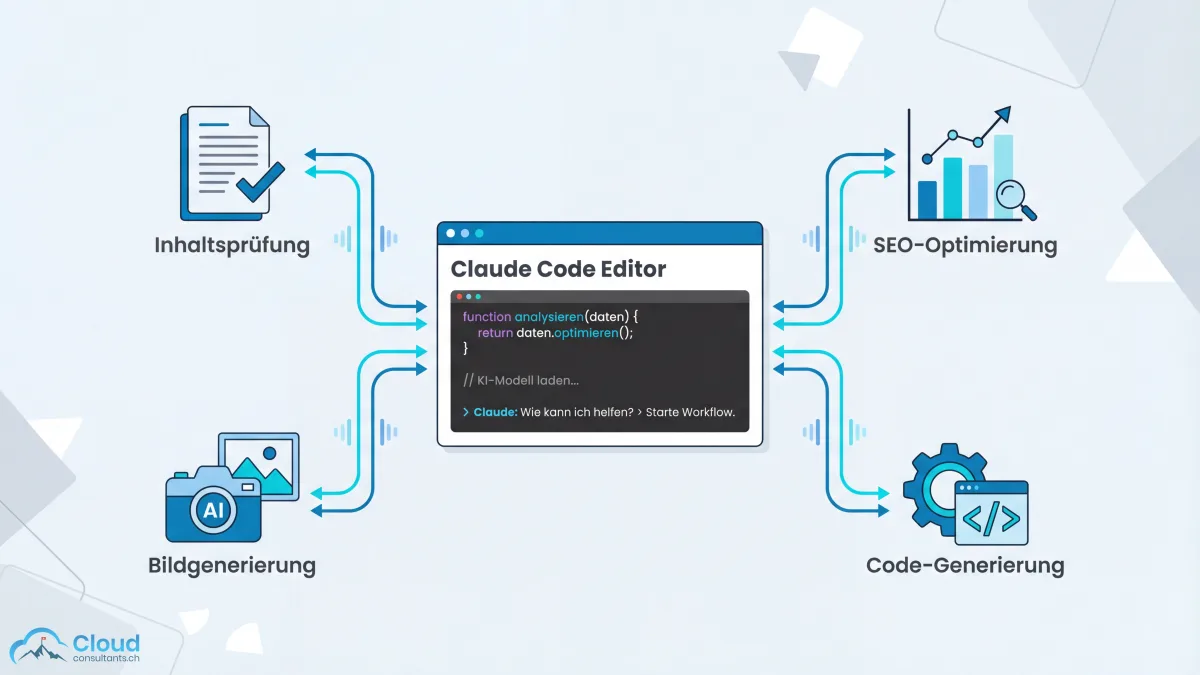
Content accuracy review: In 12 planned review sessions, the AI checked 203 content files against current facts. Salesforce pricing was updated for 2026 (Starter Suite $25, Pro Suite $100, Enterprise $175, Unlimited $350). Renamed editions corrected — “Professional” no longer exists, “Essentials” is now “Starter Suite”. Outdated features like Process Builder (sunset December 2025) were identified and removed.
SEO optimisation: 6 schema types implemented (Article, BlogPosting, HowTo, FAQPage, LocalBusiness, CollectionPage). SpeakableSpecification for voice assistants. Build-time link validation that catches broken links at compile time — not in production.
AI-generated images: 196 hero images generated, each in brand style with an automatically injected style prompt. WebP optimisation at 1,200px width, quality 82.
Code generation: SEO components, build plugins, schema injection, RSS feed for AI crawlers, sitemap generation — all as Astro components and build scripts, not plugins.
Context engineering: 80 sessions, 200k token context — how AI scales
This is the core question: how do you run a project with 196 articles, 798 images, 22+ strategy documents, and thousands of lines of code — when each AI session is capped at ~200,000 tokens of context?
The answer is context engineering. The model doesn’t make the difference — Claude Opus 4.6 is available to everyone. What made this project possible was the systematic architecture of context.
Cross-session architecture
Five building blocks keep the project coherent across 80+ sessions:
CLAUDE.md — the project instruction file that Claude loads automatically at every session start. It contains project structure, brand rules, content conventions, MDX syntax gotchas, and Salesforce pricing updates. Every session starts with the same knowledge baseline.
Memory files — auto-updated learning notes that persist across sessions. When Claude discovers in session 23 that Process Builder has been sunset since December 2025, it stores that fact. Session 24 already knows.
Plan files — detailed multi-phase plans like SEO-GEO-LAUNCH-PLAN.md, MDX-MIGRATION-PLAN.md, and CONTENT_REVIEW_INSTRUCTIONS.md. Each plan records what’s done and what’s next.
Tracking files — session-by-session progress logs. CONTENT_REVIEW_TRACKING.md documents which of the 203 files have been reviewed, which corrections were applied, and what’s still open.
Skills — reusable workflow documents (SKILL.md) that Claude runs like a script. Instead of re-explaining the article-writing process in every session, a skill encodes the entire 13-step pipeline.
MCP servers — external tool integration
The Model Context Protocol (MCP) gives the AI direct access to external data sources — no manual data copying, no screenshots:
- Google Search Console MCP: ranked keywords, impressions, CTR, indexing issues. We used it to identify the 53 ranking keywords and prioritise low-CTR pages.
- DataForSEO MCP: keyword research (search volume, keyword difficulty, trends), SERP analysis, competitor intersection. The basis for all 22+ topic clusters.
- Cloudflare Analytics MCP: post-launch traffic monitoring via GraphQL — page views, referrers, Core Web Vitals, geo data. Fully replaces Google Analytics.
- Google Analytics MCP: baseline traffic data from the old WordPress site for before/after comparison.
Parallel subagents
Claude Code can spawn subagents for parallel work. While the main agent writes an article, a subagent researches statistics, another generates images. Subagents protect the main context window: web searches and API calls stay in the subagent’s context and don’t burn through the main agent’s 200k tokens.
The key point: skills and plans are the project’s institutional memory. Without them, every session starts from zero. With them, session 80 is as productive as session 1 — the AI knows the conventions, the tracking files show progress, and the skills deliver reproducible workflows.
Building AI agents: reusable skills as an automation pipeline
Skills are the heart of our AI workflow. Instead of writing individual prompts, we built multi-step automation pipelines:
write-cluster-article — a 13-step pipeline for SEO-optimised blog articles:
- Load cluster definition and identify missing articles
- Read branding files (tone of voice, ICP, brand system)
- Keyword research via DataForSEO
- Fact research via subagent (separate context-window capacity)
- Read pillar page and sibling articles for interlinking context
- Write the article using only verified statistics
- Fact-check audit against researched sources
- Generate hero image, review, optimise, deploy
- 4 section images with brand logo overlay
- Set cross-links from existing articles to the new one
- Run and verify the build
- Update the cluster definition
- Create a report
image-generator — brand-consistent AI images with automatic style injection from brand-style-prompt.txt. Generate → review → iterate → approve → optimise → deploy.
brand-voice-generator — tone-of-voice enforcement from the brand files. Generates tone-of-voice.md, brand-system.md, and brand.json, which are read by every content-producing skill.
We placed these three skills in .claude/skills/. They are the equivalent of reusable templates — every project can adapt them, and every session runs the same quality bar.
SEO and GEO — things WordPress could never do
WordPress delivers SEO basics through plugins like Yoast. Astro delivers full control over every aspect of technical SEO — as code, not configuration.
6 schema types: Article, BlogPosting, HowTo, FAQPage, LocalBusiness, and CollectionPage — implemented directly in SEOHead.astro. Every blog article automatically has the correct structured markup.
Answer engine optimisation (AEO): every article follows the inverse-pyramid principle — answer first, then context, then nuance. “Key takeaways” boxes act as speakable content for voice assistants and AI overviews.
SpeakableSpecification: structured data that tells voice assistants and AI systems which content to read out — .post-title, .post-description, and .key-takeaways.
Build-time link validation: an Astro plugin checks every internal link on every build. Broken links are caught at compile time — not when a visitor hits a 404.
RSS feed for AI crawlers: a dedicated feed that can be crawled by AI systems like Perplexity and ChatGPT.
Topic clustering: how we build topical authority with hub-and-spoke
WordPress had a flat blog structure — every article was an island. Astro and our cluster architecture transformed 196 isolated posts into a connected knowledge graph.
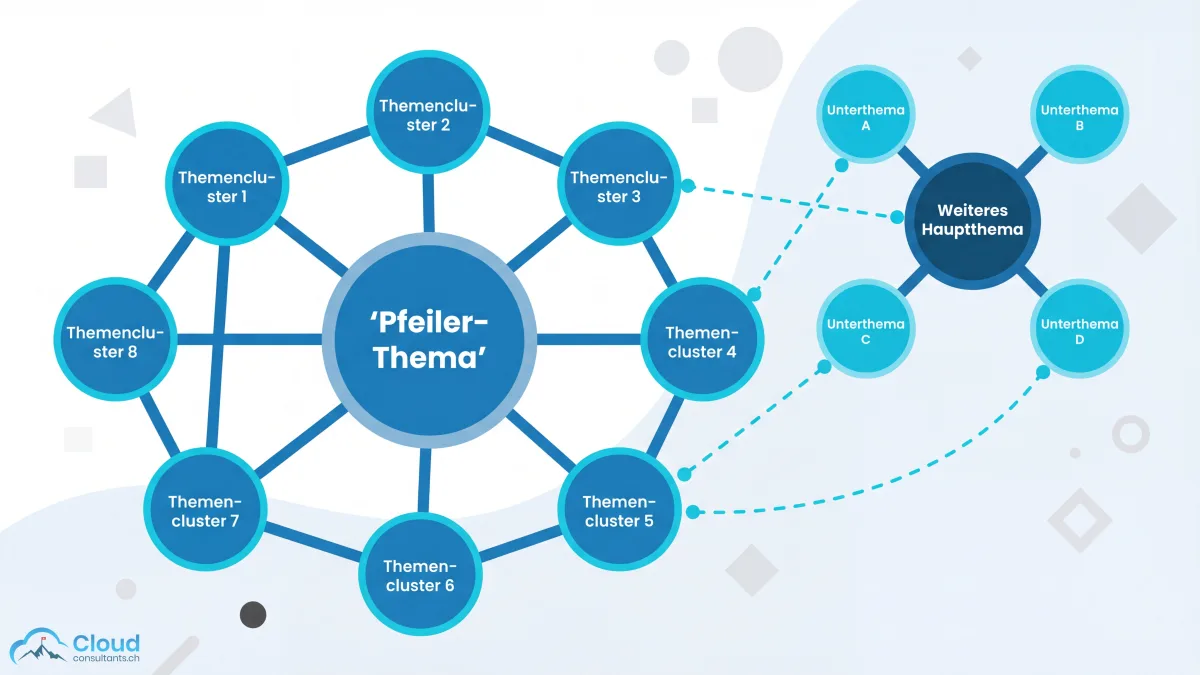
The hub-and-spoke model: a pillar page (3,000–4,500 words) forms the hub, surrounded by 6–12 spoke articles (1,200–2,000 words) on specific subtopics. Google’s semantic understanding rates a cluster of interlinked pages substantially higher than isolated articles.
22+ topic clusters defined through strategy documents. Every cluster has clear boundaries, validated by SERP-overlap analysis: with more than 70% SERP overlap, the keywords belong on the same page; 30–70% in the same cluster; under 30% in different clusters.
Technical implementation: frontmatter fields (cluster, clusterGroup, pillarSlug, isPillar) drive the architecture. ClusterNav components automatically render all spoke articles on pillar pages. The related-posts sidebar shows cluster siblings, not random articles. CollectionPage schema lists all spoke URLs as structured data.
No cookies, no banner: privacy by design
Consent banners are a UX problem: they slow down the page, irritate visitors, and create a legal attack surface. Our solution: a website with no cookies — at all.
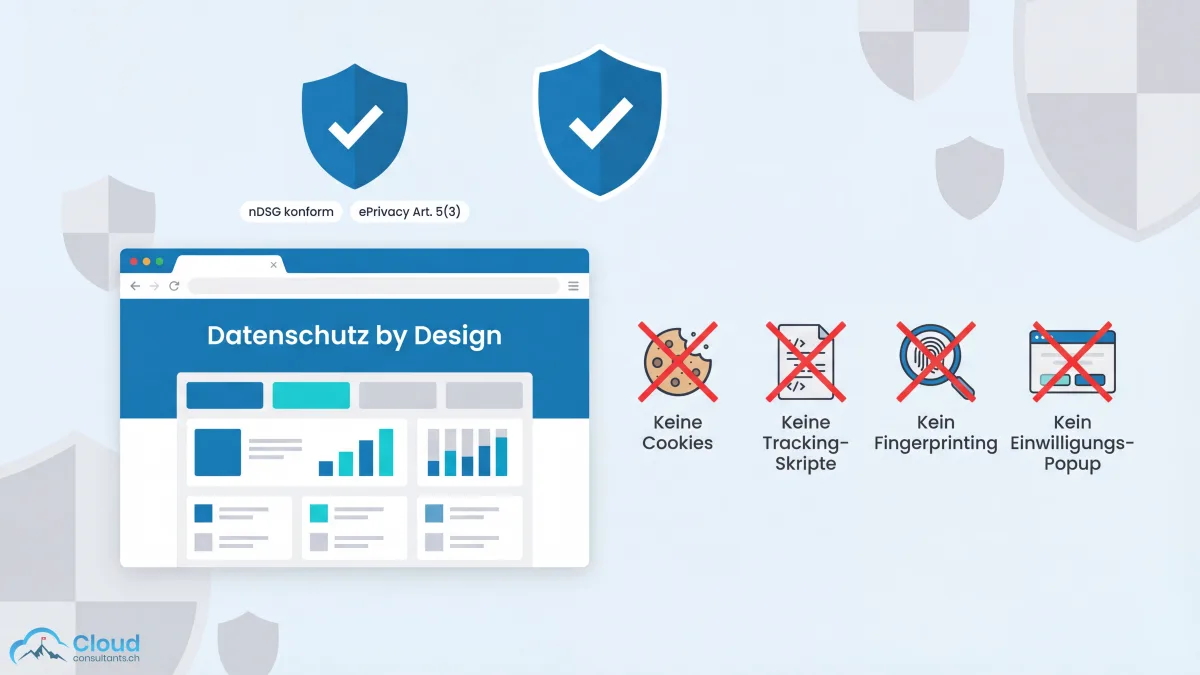
The legal basis: under the Swiss FADP and EU ePrivacy Directive Art. 5(3), a consent banner is only required if information is stored on or read from the user’s device. Analytics without cookies, localStorage, or fingerprinting is explicitly exempted.
The solution: Cloudflare Web Analytics. A lightweight script (~5 KB) that captures anonymous data per page view — page views, referrers, Core Web Vitals, geo data. No cookie, no localStorage, no fingerprinting. No cross-site tracking. No consent banner needed under ePrivacy Art. 5(3), because nothing is stored on the device.
The result: clean pages without banners, without cookies, without compromises on data quality.
Static pages, maximum performance
Static websites are the highest-performing web architecture: pre-rendered HTML, no server-side computation, global CDN delivery. Astro’s Islands Architecture goes further still — zero JavaScript by default, selective hydration only where interactivity is needed.
Cloudflare Pages as the hosting layer provides automatic SSL, instant Git deploys, and global edge distribution. Cost: $0 on the free tier.
The results speak for themselves:
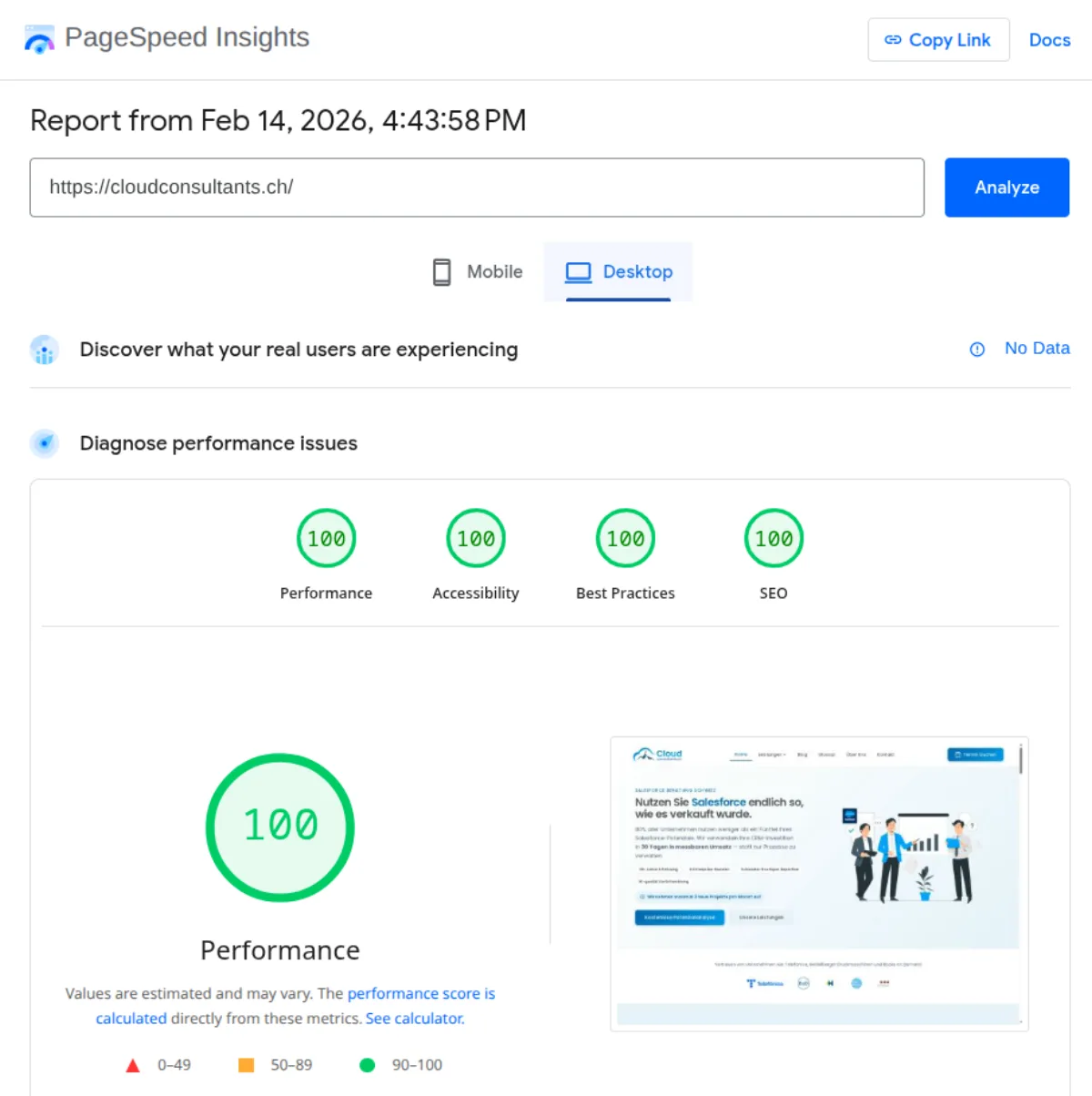
| Metric | WordPress (typical) | Astro + Cloudflare |
|---|---|---|
| Performance | 45–65 | 100 |
| Accessibility | 70–85 | 100 |
| Best Practices | 75–90 | 100 |
| SEO | 80–95 | 100 |
| JavaScript | 200–500 KB | ~0 KB |
| Hosting cost/year | CHF 300–500 | CHF 0 |
Results and takeaways
In 3 days we migrated a complete website from WordPress to Astro — 196 blog articles, 18 glossary entries, 13 static pages, 798 images, 78 URL redirects. PageSpeed 100/100/100/100. Zero cookies. 1,218 files in the Git repo.
Cost comparison: WordPress hosting with premium plugins typically costs CHF 300–500 per year. Cloudflare Pages: CHF 0. Add the Claude Max 20x plan at $200/month as the AI engine — a fraction of what an agency would charge for the same scope.
What did we learn?
- Context engineering matters more than the model. Claude Opus 4.6, Astro, Cloudflare Pages — these tools are available to everyone. What made this project possible wasn’t the technology but the architecture: CLAUDE.md files that hold project context persistently. Skills that encode complex workflows as reproducible pipelines. Tracking systems for cross-session continuity. MCP integrations for live data access.
- Agentic workflows scale. Once a skill is defined, it runs identically in every session. The system we built for the relaunch now produces new articles weekly — with the same quality assurance, the same fact checks, the same brand rules.
- Static beats dynamic. For content-heavy sites, there’s no longer a reason for server rendering. Static pages are faster, safer, cheaper, and easier to maintain.
That’s the discipline that separates “chatting with AI” from “engineering with AI”. And it’s the discipline we bring into our client work.
The system runs. To see what happens in practice when Claude Code Dispatch executes a content task autonomously from text message to published article, read our walkthrough of the AI content-publishing workflow with Claude Code Dispatch.
Frequently asked questions
What is context engineering and why is it critical for AI projects?
Context engineering is the discipline of giving AI systems the right context — through persistent project files (CLAUDE.md), reusable skills, and tracking systems that work across individual sessions. It's the difference between 'chatting with AI' and 'engineering with AI.' Without context engineering, every AI session starts from zero — with context engineering, session 80 is just as productive as session 1.
What do you need for a website relaunch with AI?
For an AI-assisted website relaunch you need three things: a capable AI coding tool (e.g. Claude Code), a systematic context-engineering architecture (project files, skills, tracking), and a static target framework (e.g. Astro). The AI handles migration, content review, SEO optimisation, and image generation — but only if the context is right.
What is an agentic workflow in AI development?
An agentic workflow is an AI system that runs multi-step tasks autonomously — for example keyword research, writing articles, fact checking, generating images, and setting links in one pipeline. Unlike simple prompts, the AI acts here as an independent agent with defined steps.
What is an MCP server and how is it used in AI projects?
MCP (Model Context Protocol) lets AI agents access external data sources directly — for example Google Search Console, DataForSEO, or Cloudflare Analytics. Instead of copying data manually, the AI can query keyword data, analyse rankings, and read traffic metrics live.
Do you need a cookie banner with Cloudflare Web Analytics?
No. Cloudflare Web Analytics uses no cookies, no localStorage, and no fingerprinting. Under ePrivacy Directive Art. 5(3), a consent banner is only required if information is stored on the end-user device.